JBL Headphones
Harman Consumer, Inc.
Downloads
10,000,000+
Source
Google Play
Advertisement
Click to download now, finish the installation quickly, and directly unlock the all-round experience
Advertisement
Screenshots
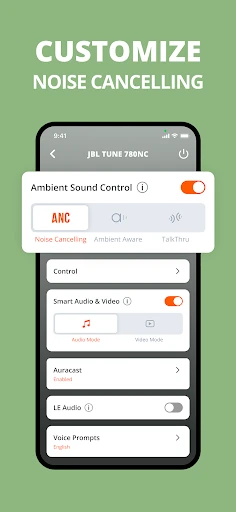
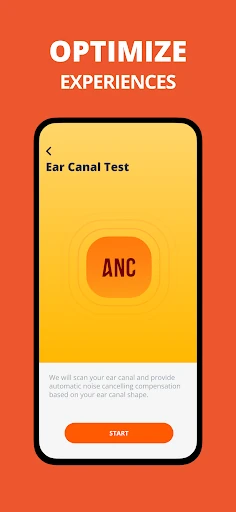
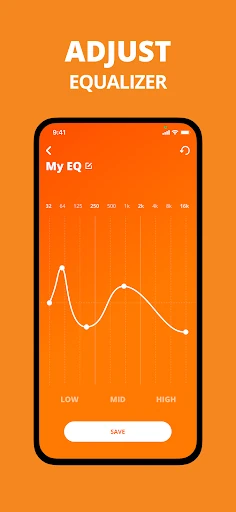
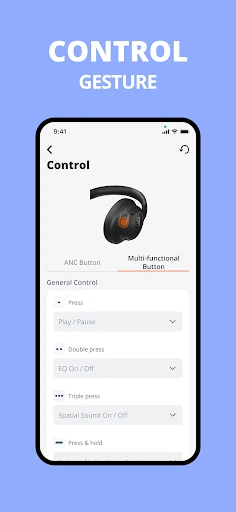
Click to download now, finish the installation quickly, and directly unlock the all-round experience
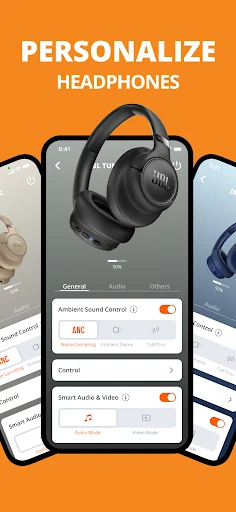
JBL Headphones is a companion app for supported JBL headphones and earbuds, not a music player. It gives you a place to adjust how the connected device sounds and behaves, with options that can include equalizer settings, noise control and touch controls. It suits people who want to tune a headset beyond its default settings; if you do not own a supported JBL model, there is little here to use.
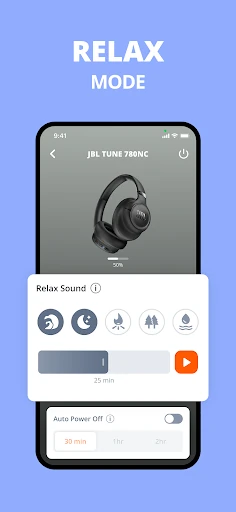
Start by connecting a compatible headset to your phone and opening the app to see which settings that model supports. You may be able to choose an equalizer preset or adjust the sound yourself. On models with noise cancelling or ambient sound modes, the app can provide controls for those too. Some headsets also expose options for touch gestures or audio and video modes. The available choices depend on the hardware, so do not expect every setting shown in the app to apply to every JBL product.
The main benefit is having supported headset settings together rather than relying only on the controls built into the headphones. The trade-off is that this is a companion utility: its value depends on your exact model, and it does not replace a general audio or streaming app. If your headset already behaves the way you want, you may only need to open the app occasionally.
Consider it if you use compatible JBL audio gear and want access to its sound or control options from Android. Harman Consumer, Inc. is the developer. The listing shows a 4.6 rating from about 641,000 reviews and more than 10 million installs, indicating broad use, though those figures do not tell you which features your particular headset supports.